DEMO workflow case study

Shanghai → Barcelona: one import controlled across 3 Excel tools

A fictional example showing how shipment tracking, landed cost and document control fit together in one operation. It does not represent a real customer or shipment.

Shanghai→Barcelona
ETD05/10Planned departure
ETA09/11Planned arrival
DEMO goods value€18,500Fictional data
Documents6/8Example status
Shipment & Import Tracker – Excel Dashboard ETA/ETD
01 · Shipment tracking

First: dates, carrier, status and priority

The shipment enters the Tracker with reference, ETD, ETA, carrier, status, owner and last update. When ETA changes, the team can see which shipment needs attention.

View PRO Tracker →
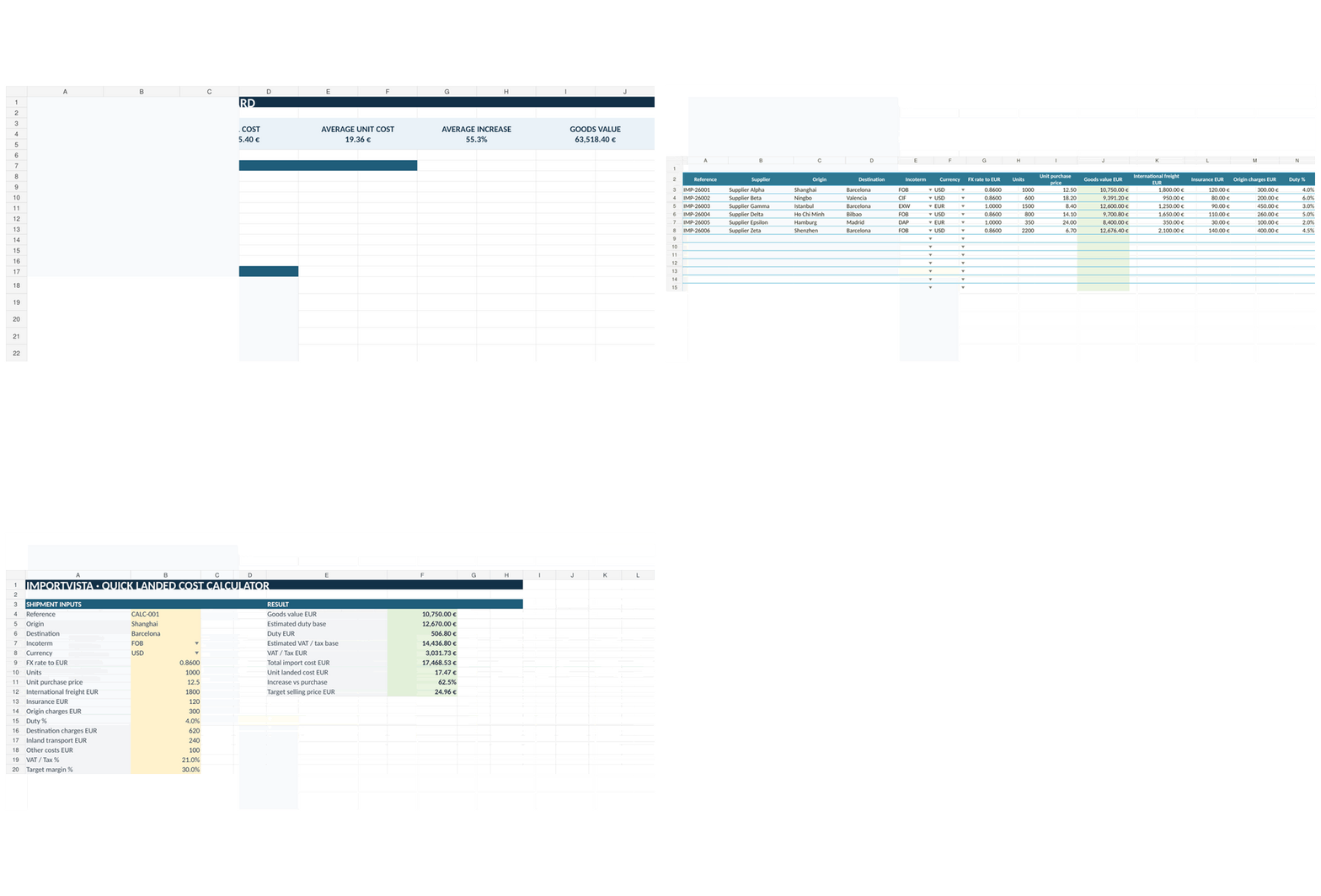
Landed Cost Calculator – Import Cost Excel Template
02 · LANDED COST

Then: what the import really costs

Purchase value, freight, insurance, duty, tax and local charges are brought into one structure to estimate total and unit cost.

Try the free calculator →
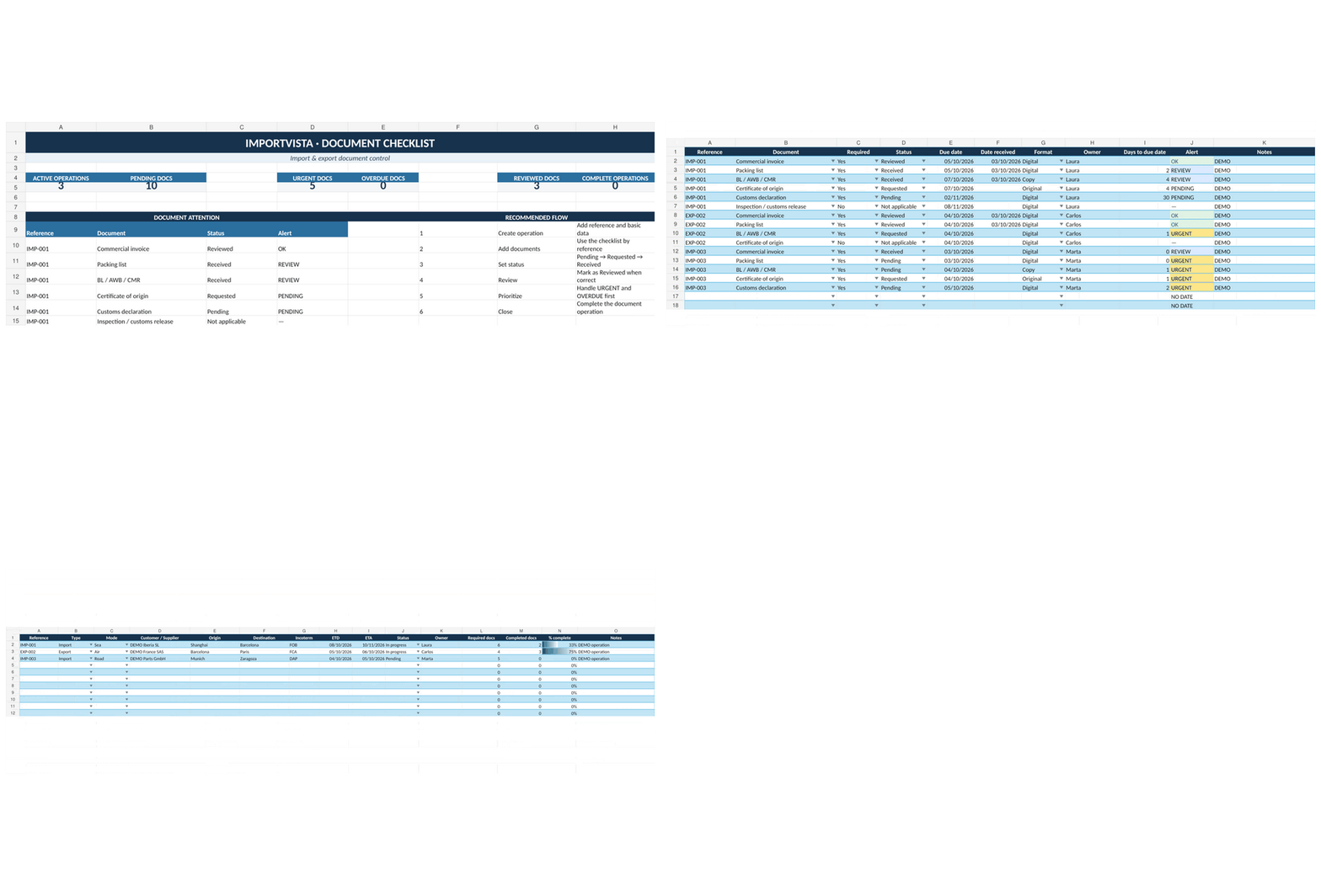
Import & Export Document Checklist – Excel Template
03 · Documents

Finally: know what is missing before arrival

Invoice, packing list, B/L, origin and customs documents are tracked by status and due date instead of relying on scattered emails or memory.

View PRO Checklist →
One connected workflow

Tracker + Landed Cost + Document Checklist in one pack.

The Essentials Pack includes the three tools used in this fictional workflow example.

View Essentials Pack · €29,99 →